Daily budget · 50 lei
42 lei
8 lei leftWithin budget? It grows.
Log your spending and complete the day. Once the day ends, your tree earns new growth.

Greenling for iPhone and Android
Give yourself a reason to come back tomorrow.

An example 30-day month. Drag to see it grow.
Why another money app?
You still need a reason to keep tracking.
Greenling makes the effort visible.
Log your spending and complete the day. Once the day ends, your tree earns new growth.
No lost leaves. No starting over. Your tree keeps its growth while you try again tomorrow.
Illustrative amounts. Spending exactly your budget counts, too.
Your spending becomes a growing tree, with a Garden of past months to look back on.
Habit rewards compare you with your own usual spending. You set the daily budget.
No bank linking or account setup. You enter your expenses, and your records stay on your phone.
The Garden
A fresh tree each month. A place for every one you’ve grown.
Tap any tree to revisit that month’s spending and rewards.
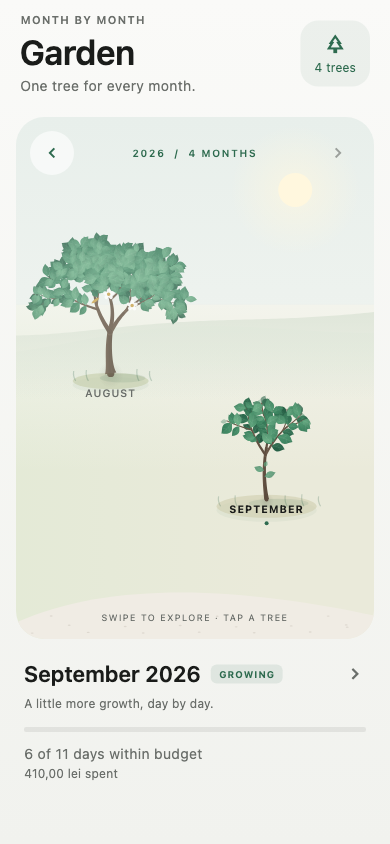
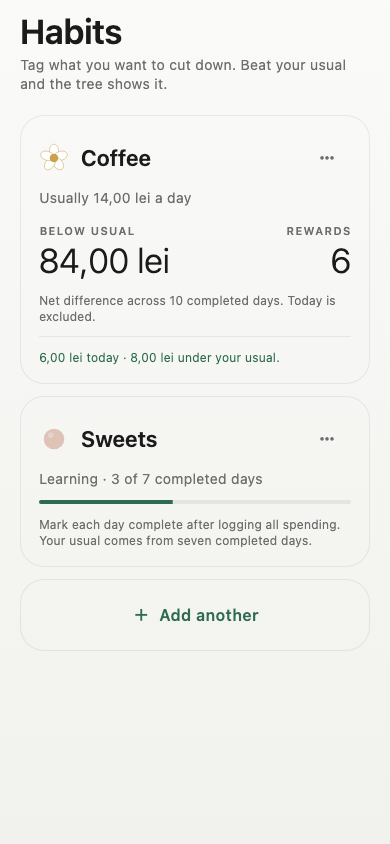
Inside Greenling
Track up to three habits. Learn your usual over seven completed days, then earn rewards for spending less.
Your spending by day, month, or year. Categories and habit comparisons, all in one place.
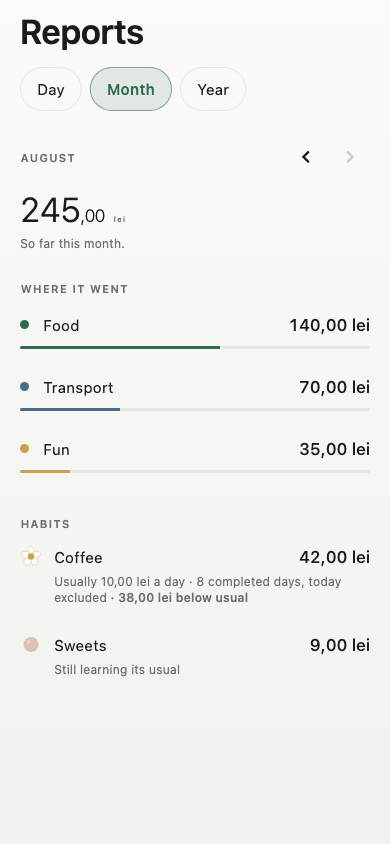
Actual app screens with example data. RON, EUR, USD and GBP supported.
No ads or analytics in the app. Everyday tracking works offline.
About your dataLog all your spending, then use Check-in to mark the day complete—even if you spent nothing. Growth and habit rewards are calculated after that day ends. An open day doesn’t count as a no-spend day.
It stays in your Garden. A new tree starts on the first of each month. A full tree means every day of that calendar month was completed within budget.
Tag purchases for up to three habits. Seven completed, finished learning days with some tagged spending establish your usual. Later completed days below that amount earn flowers, fruit or golden leaves.
Expenses are entered manually. Greenling doesn’t connect to your bank, and receipt scanning isn’t included in the launch release.
Your spending records stay on your device. Changing currency can fetch public reference rates without sending your expenses. There’s no Greenling cloud sync or recovery service; your phone’s own backup settings may apply.
Coming soon for iPhone and Android.
Download links will be here at launch.
Questions? Email me